VStreamTrack
A Java JDA Bot for Tracking VTuber Livestreams and Schedules.
Dependencies
Usage
- Clone and build the project using Maven
- Create a file called
config.jsonin the settings folder of the root directory (if it doesn't already exist) - Fill in necessary credentials and settings in the config file
- Create a file called 'upcomingChannels.txt' in the settings folder of the root directory (if it doesn't already exist)
Configuring Custom Feeds
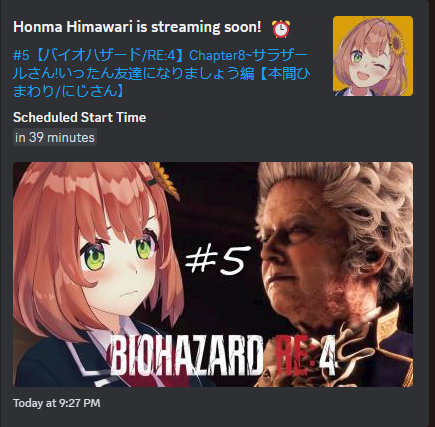
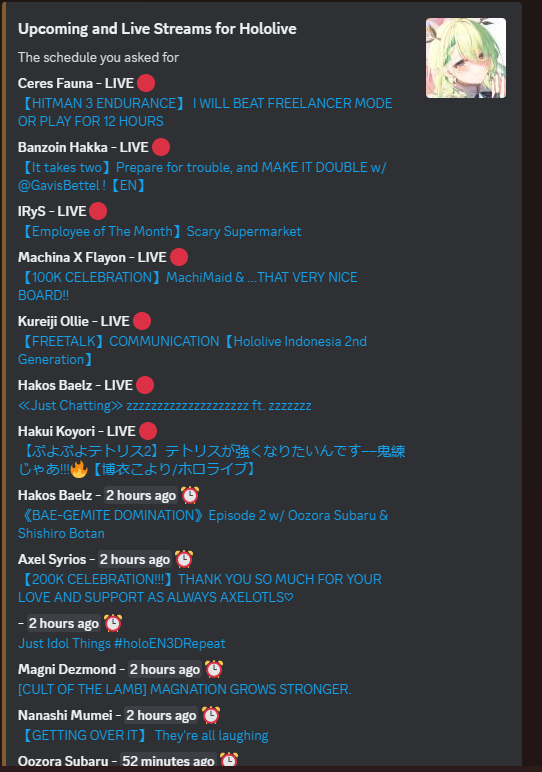
/configure command is used to configure a custom feed related to a particular channel or organizaton.
The command will use the channel the message is sent in as the channel to send the upcoming/live feed to
This can also be manually configured through the upcomingChannels.txt file:
[TYPE]:[INFORMATION]:[DISCORD_CHANNEL_ID]
TYPE: org (organization name) or channel (individual channel)
INFORMATION: If TYPE is channel: insert channel ID. If TYPE is org: insert organization name.
DISCORD_CHANNEL_ID: The ID of the Discord channel you want the feed to be sent to.

EXAMPLE:
org:Nijisanji:1055710959919976479
(All upcoming and live streams for members of the Nijisanji organization will be sent to the Discord channel with ID 1055710959919976479)

channel:UC4WvIIAo89_AzGUh1AZ6Dkg:1094112349163638804
(All upcoming and live streams for the channel with ID UC4WvIIAo89_AzGUh1AZ6Dkg will be sent to the Discord channel with ID 1094112349163638804)